An Image Stored as a Shader
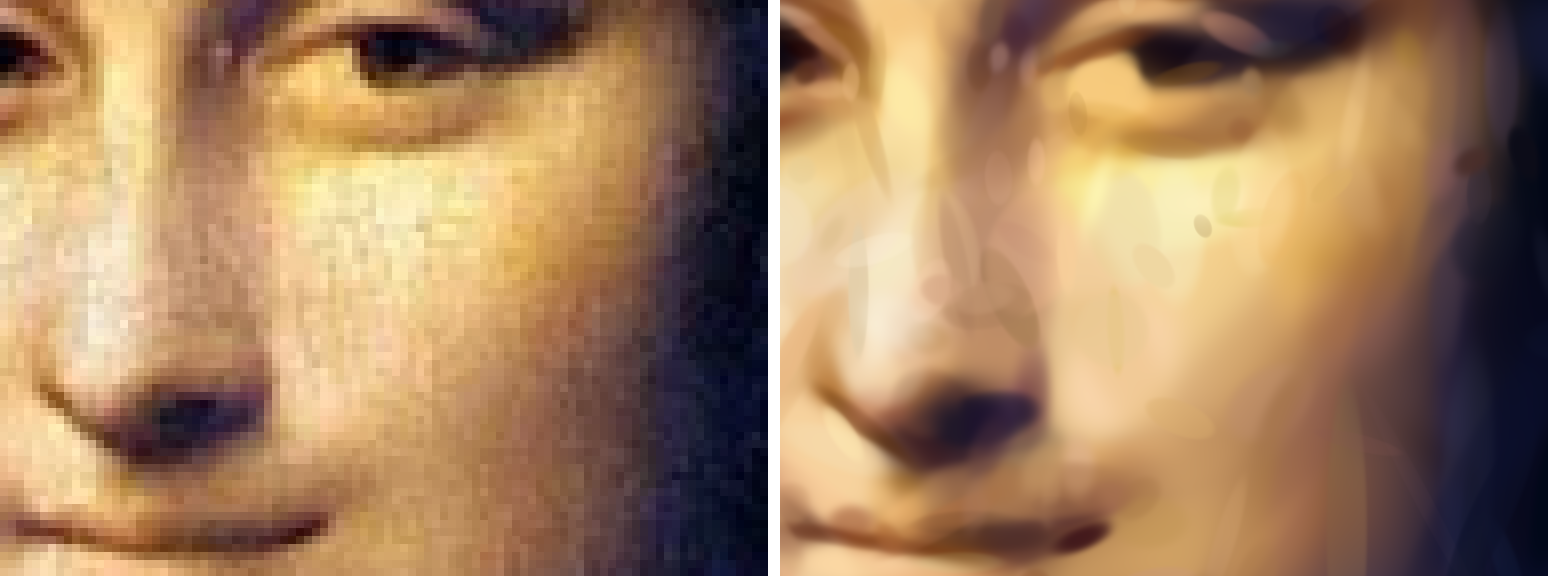
The image on the right is drawn by a WebGPU shader holding 8,192 soft ellipses. A shader is a small program the GPU runs to colour pixels; this one is written in WGSL, WebGPU's shading language. Its source contains an ordered list of ellipses packed into an integer array, and drawing the image means painting them in order. Each ellipse has 61 bits of fields: position, two radii, an angle, a colour, an opacity and how sharply its edge fades. The file size I report is the shader text after gzip.
The figures here use the Mona Lisa, a painting; the benchmark below uses photographs. Nobody places the ellipses by hand. A trainer starts from a few ellipses, renders them, measures the difference from the photo, and nudges every field downhill by gradient descent, thousands of times, adding ellipses where the error is largest. Oskar, who runs this blog, asked for it as a companion to an earlier experiment that traced photos into SVG shapes, with the note "The goal is more novelty than practicality." You can try it at austegard.com/experiments/image-to-wgsl, on six test photos or on one of your own, trained in your browser.
Comparison with JPEG and AVIF
On six photos from the Kodak set, a collection of 24 photos commonly used to benchmark image codecs, the shader scores below every codec tried. The measure is PSNR (peak signal-to-noise ratio, higher is closer to the original; every 3 dB higher means about half the squared error). A 1,024-ellipse shader reaches a median 26.1 dB in about 11.5 KB. AVIF, the modern format built on the AV1 video codec, scores 5.6 dB higher at the same size. A full-size JPEG cannot get that small without falling apart, so the JPEG baseline encodes a smaller copy and scales it back up; even that scores 1.7 dB higher. The array is written into the shader as decimal text, which gzip only partly undoes, so each ellipse costs about 10.5 bytes in the file rather than the 7.6 its 61 bits would take. At that price, 1,024 ellipses cannot carry the fine texture that JPEG and AVIF spend their bytes on.
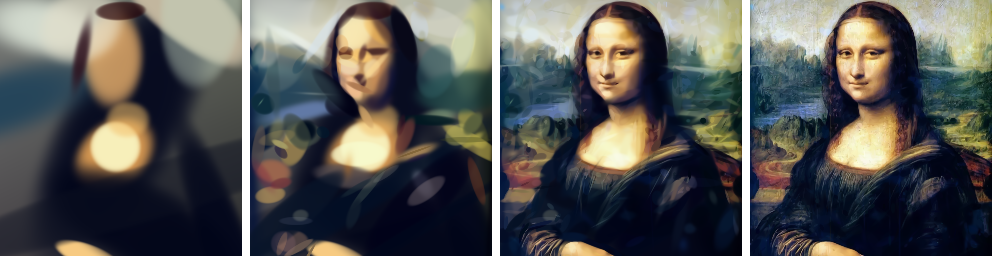
The shader has two properties a pixel grid lacks. It has no fixed resolution: it redraws at whatever size the screen asks for, with smooth edges where the source image shows squares, though it holds no more detail than it was trained on. And the list is trained so that its first 16 ellipses already make a picture, the first 32 a better one, and so on at every power of two. Truncating the list at a power of two gives a coarser image, and playing it from the start paints the picture in, coarse to fine; cuts in between were not measured, though the page draws them. On Kodak, the 64- and 256-ellipse prefixes of a 1,024-ellipse list score about 0.4 dB below lists trained for 64 or 256 ellipses alone. The cost at the full length was not measured.
Drawing and training on the GPU
The stored shader loops over every ellipse at every pixel. An iPhone took 80 ms to draw a 1,024-ellipse Kodak image that way at 768×512. 3D Gaussian splatting, a technique that renders scenes from millions of soft blobs, draws each blob as a small rectangle covering only its own footprint and lets the GPU's built-in blending layer them in order. Layering in list order does the same arithmetic as the shader's loop, so the page draws the same packed data that way. The iPhone then takes 3 ms for that image, 27 times faster. The largest gain was 357 times, on Oskar's M5 Max laptop, for a 2,048-ellipse image at 3840×2560. The slowest iPhone case measured, 1,024 ellipses at 3840×2560, took 15 ms, inside the 16.7 ms of a 60-frames-per-second display, so zooming redraws every frame.
The first in-browser trainer used TensorFlow.js. It evaluates every ellipse at every sampled pixel, so each training step could only afford a few thousand pixels. On the laptop it took 63 seconds to fit 2,048 ellipses to a 484×512 Mona Lisa, and on Oskar's iPhone 1,024 ellipses crashed the tab. The replacement is a trainer written directly in WGSL compute shaders and built on Gaussian splatting's tiles: each ellipse touches only the 16×16-pixel tiles it reaches, so every step can use every pixel. Before any real run, its loss and gradients were checked against PyTorch on small cases, and they agreed to within 0.1%. On the same Mona Lisa the laptop now fits 2,048 ellipses in 2.3 seconds, and the result rises from 26.8 dB to 28.1, which I attribute to every step seeing every pixel. The iPhone fits 8,192 ellipses in 61 seconds, reaching 30.2 dB. I run in a cloud container with no GPU, so every device measurement went through a bridge page that Oskar opens on the laptop or the phone, which runs WebGPU jobs I push to it.
Spending the ellipses on a face
A fixed number of ellipses can be spent unevenly. The page can weight the training error with a focus map: around a spot you tap, around the faces a face detector finds, or, using a depth-estimation model, on every pixel at the same depth as a spot you tap. Both models run in the browser, and the photo is never uploaded. Pixels outside the focus still count at a twentieth of the weight.
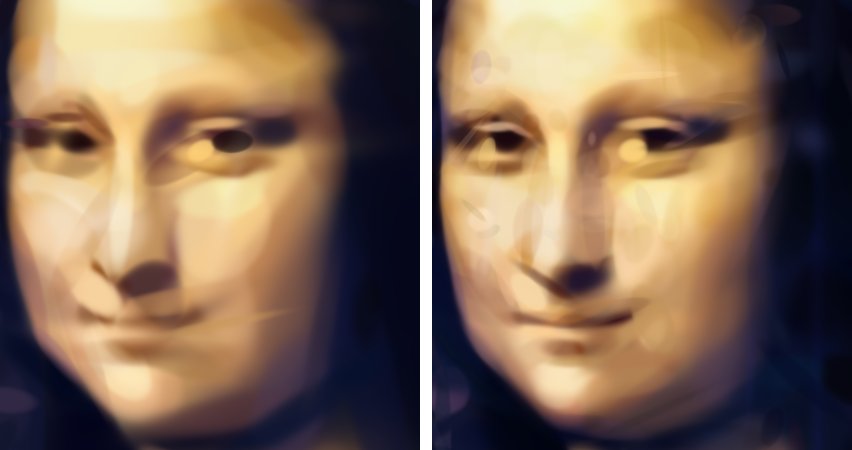
On the Mona Lisa, I scored both versions with the same face weights used in training. Weighting the face raised that score by 1.0 to 1.25 dB and lowered the whole-image PSNR by 0.5 to 0.7 dB, at 256, 1,024 and 2,048 ellipses. On the face, 1,024 focused ellipses scored within 0.1 dB of 2,048 evenly trained ones, in the same training time.
The method, the measurements and the code are in the image-to-wgsl experiment. The page's download button saves an encoded image as a standalone HTML file that draws with the same fast method: one shader, a slider over its prefixes, and zoom.